Static Site Hosting on Bunny
How this site runs on Bunny as plain static files, why I removed the edge script that answered 6,827 old WordPress URLs, and the deploy that checks itself.
 Karl Nyen
On this page
The v3.0 rebuild turned this site into a folder of static files, which can be hosted almost anywhere. Most of the hosting work went into deciding which of WordPress’s old URLs deserved to keep working, and the answer turned out to be “far fewer than I first built for”.
This post covers how the site is served from Bunny: the edge script I wrote first, why I deleted it, and the small deploy pipeline that’s left.
The long tail WordPress left behind
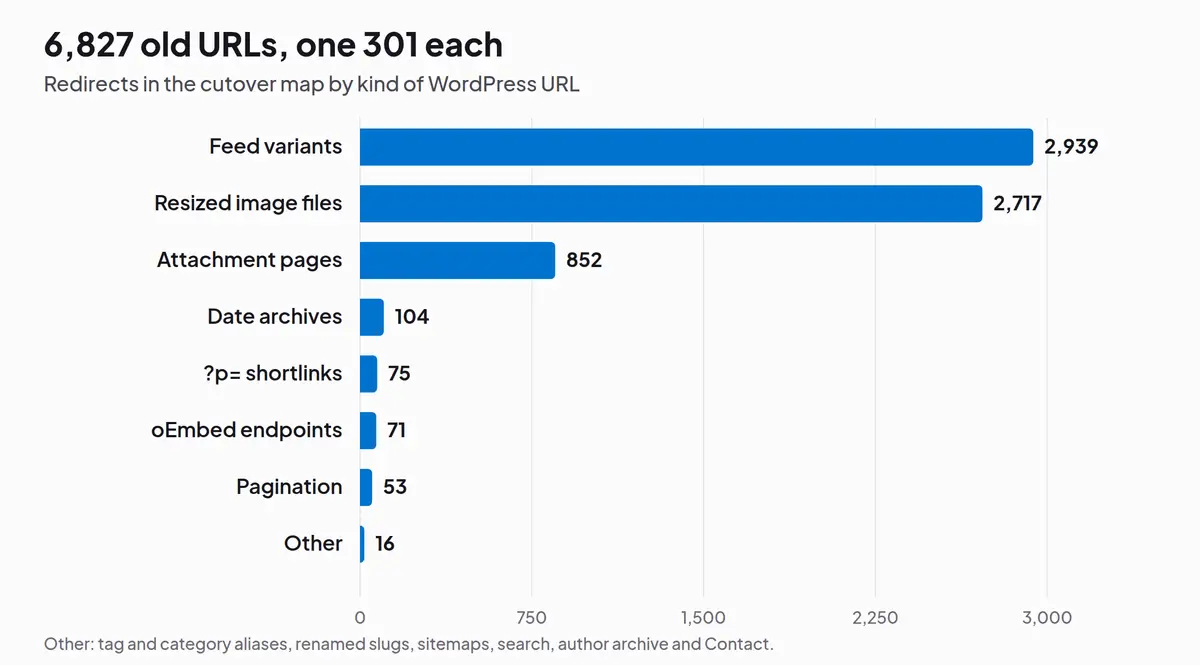
The posts were easy: every post keeps its exact /year/month/slug/ path, so those URLs just need a page at the same address. The trouble is everything WordPress generated on the side. Over the years it served feeds for every post, category and tag, a separate “attachment page” for every image, resized copies of each upload, ?p=123 shortlinks, date archives, oEmbed endpoints and paginated archives.
| Kind of URL | Count |
|---|---|
| Feed variants | 2,939 |
| Resized image files | 2,717 |
| Attachment pages | 852 |
| Date archives | 104 |
?p= shortlinks |
75 |
| oEmbed endpoints | 71 |
| Pagination | 53 |
| Other | 16 |
| Total | 6,827 |
Version one: an edge script for every old URL
My first instinct was to keep every one of those URLs alive. A static host can’t do that by itself: Bunny’s Edge Rules top out at 50 per pull zone by default, nowhere near 6,827. So I wrote Edge Scripting middleware, a small TypeScript function that runs on every request before the cache. It looked each URL up in a redirect map generated from the WordPress export and answered with a single 301, rewrote page URLs to their index.html files, served the RSS feed, and returned real 404s for retired ?p= queries.
It worked, and it was well tested: the test suite loaded the exact bundle Bunny would run and checked all 6,827 redirects, plus every page, on every commit. Each deploy then checked more than 9,000 URLs against the live site.
Why I deleted it
Looking at that chart again, almost none of it is worth keeping:
- Feeds were 43% of the map. The site doesn’t have an RSS feed any more, so there was nothing for them to point at.
- Resized image files and attachment pages were another 52%. Those were mostly other sites hotlinking our images, which nobody should have been relying on.
- Shortlinks, date archives and oEmbed endpoints are WordPress plumbing. Visitors don’t type them in.
What actually matters is links to posts, and posts never moved. In the end only three URLs needed a redirect: posts whose slug changed years ago.
Meanwhile the script ran (and was billed) on every single request, cache hits included. It needed its own bundler, its own tests and its own deploy step, and every release hit the live site with thousands of requests just to check it. That’s a lot of machinery to protect URLs nobody uses.
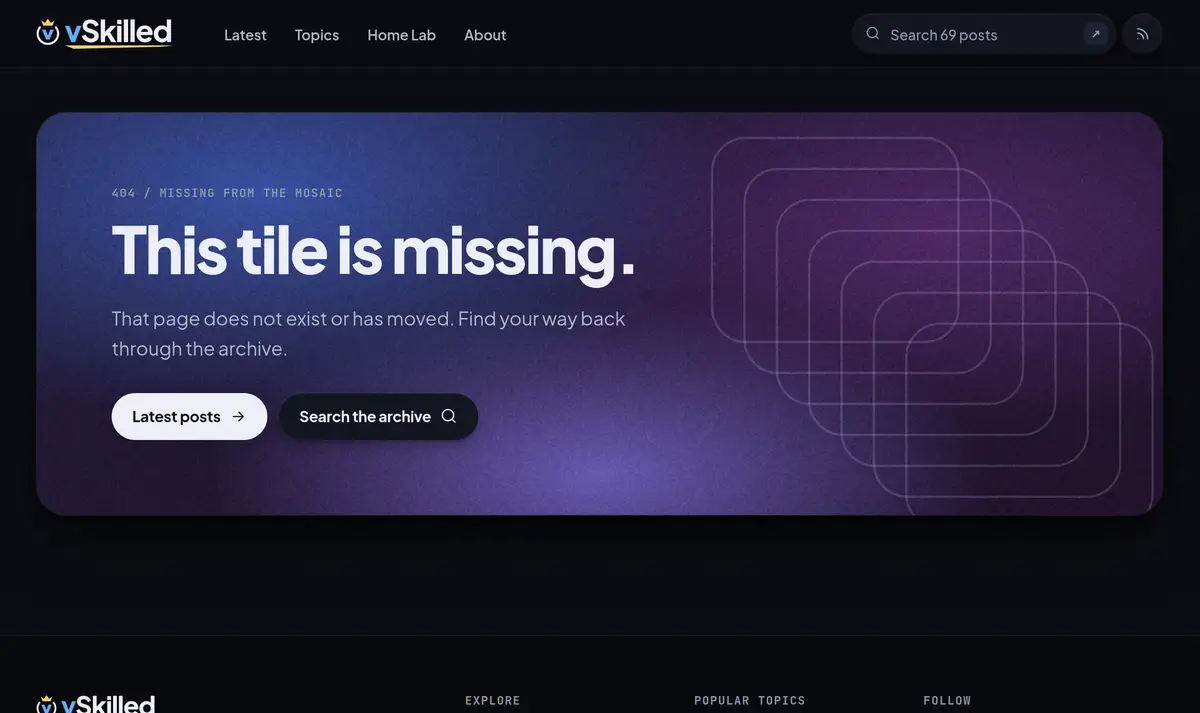
So the script is gone. Everything WordPress generated on the side now returns a plain 404.
How it’s served now
The build output goes into a Bunny Storage zone, with a pull zone in front of it. There’s no code at the edge any more:
- Pages: storage answers
/2017/09/home-lab-rebuild/with that folder’sindex.html. Every link on the site keeps its trailing slash, so nothing depends on slash redirects. - The three renamed posts: Astro builds a tiny page at each old URL that redirects straight to the post, with a canonical link pointing at it. It’s a static file like everything else.
- Everything else: if it isn’t in the build, storage returns the site’s 404 page.
- Edge Rules cover what’s left: the bare
vskilled.comdomain redirects towww, hashed files under/_astro/are cached for a year (successful responses only, so a missing file can’t stick), everything else revalidates so new posts show up as soon as the cache is purged, and every response getsnosniffand a referrer policy. The rules live in the repository as code, and every deploy applies them, so they’re reviewed like everything else.
The deploy pipeline
A push to main runs a GitHub Actions workflow. Uploading to storage isn’t atomic, so the steps are ordered so that every intermediate state still works:
- Type check, build and run the full test suite.
- Upload assets and images first, then pages and the search index.
- Apply the Edge Rules and purge the pull zone.
- Delete files that are no longer in the build, except old hashed assets, so a cached page from the previous release can still load its CSS.
- Spot-check the live site: the home page, a post, an old post URL, a stylesheet, and a 404 for a page that doesn’t exist.
Rolling back means re-running the deploy for the last good build, or reverting the commit and pushing. Because old hashed assets are never deleted, pages from either release keep working throughout.
What I’d tell someone doing the same
- Count your URLs, then ask which ones matter. I counted over six thousand and built a system to keep them all. The number that mattered was three.
- Keep your permalinks stable. Posts that never move never need a redirect.
- Return real 404s. Serving the home page for unknown URLs looks friendly and hurts you in search.
- Order your uploads. Assets first, HTML last, purge, then clean up. Never delete the assets a cached page might still ask for.
Writing about virtualization, home lab, cloud, storage and gaming on vSkilled, started in 2014.